my-profile redirect


I stumbled across something really helpful today, and thought I'd share it.
If you're logged into Ghost admin, go to:
{your-domain}/ghost/#/my-profile
This will redirect to your own settings panel inside Ghost admin, which looks like:
{your-domain}/ghost/#/settings/staff/{your-author-slug}
This was added to Ghost by @kevinansfield and has been available since 6.20.0, which shipped in March 2026.
OK cool, so what is it for?
Obviously if I want to go to my own author settings, I can do that pretty easily by navigating around admin, or just punching the URL right into the address bar. So what's this for, dammit, Jon?
Well, what if you're trying to send someone else to their author settings? And what if you don't know who they are, what their name is, or what their author slug is?
Do you really want to be saying:
"go to {your-domain}/ghost/#/settings/staff/{your-author-slug}"?
No. No you don't.
I'm building an app right now that needs a staff access token for auth. The auth step is critical, and the biggest point of friction in getting someone successfully onboarded. Staff access tokens are listed in admin under the logged-in user's staff settings. I need to guide my users to this critical information. I need to get them to open their staff settings. /ghost/#/my-profile allows me to do this.
Instead of explaining where to go and what to get, I can just send people right along to it, via a hyperlink.
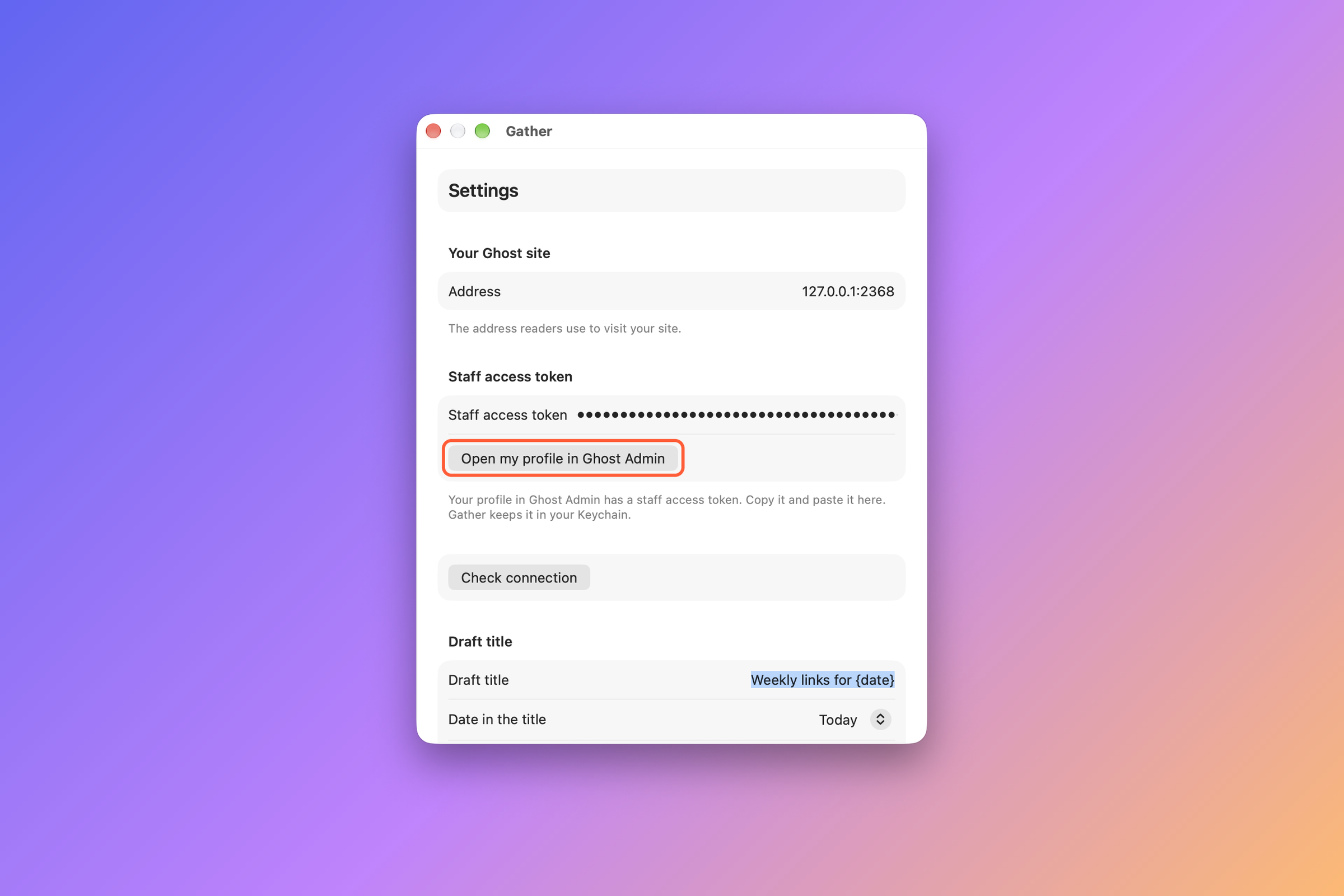
In the onboarding flow, the app collects the user's Ghost site address first—that's the first half of the link I need to send them to. I append /ghost/#/my-profile to the site and I have the hyperlink I need to get the user to their token.
I don't need to know my user's name or slug—the redirect can find it. I've just successfully simplified my onboarding, increasing the likelihood of a successful setup.
Pretty good.
👋 Here's a bonus shortcut
There's another little redirect that a lot of people miss: /edit
You can do /edit on the end of any Ghost URL. You'll be redirected to Ghost admin, in the right spot to edit that content. If you're on a page or post, you'll find yourself in the editor with that content loaded.
For a staff or tag archive, you'll open that tag or staff member up in settings.
So, if you're on your https://site.net/tag/news you'd do https://site.net/tag/news/edit and end up at https://site.net/ghost/#/tags/news/